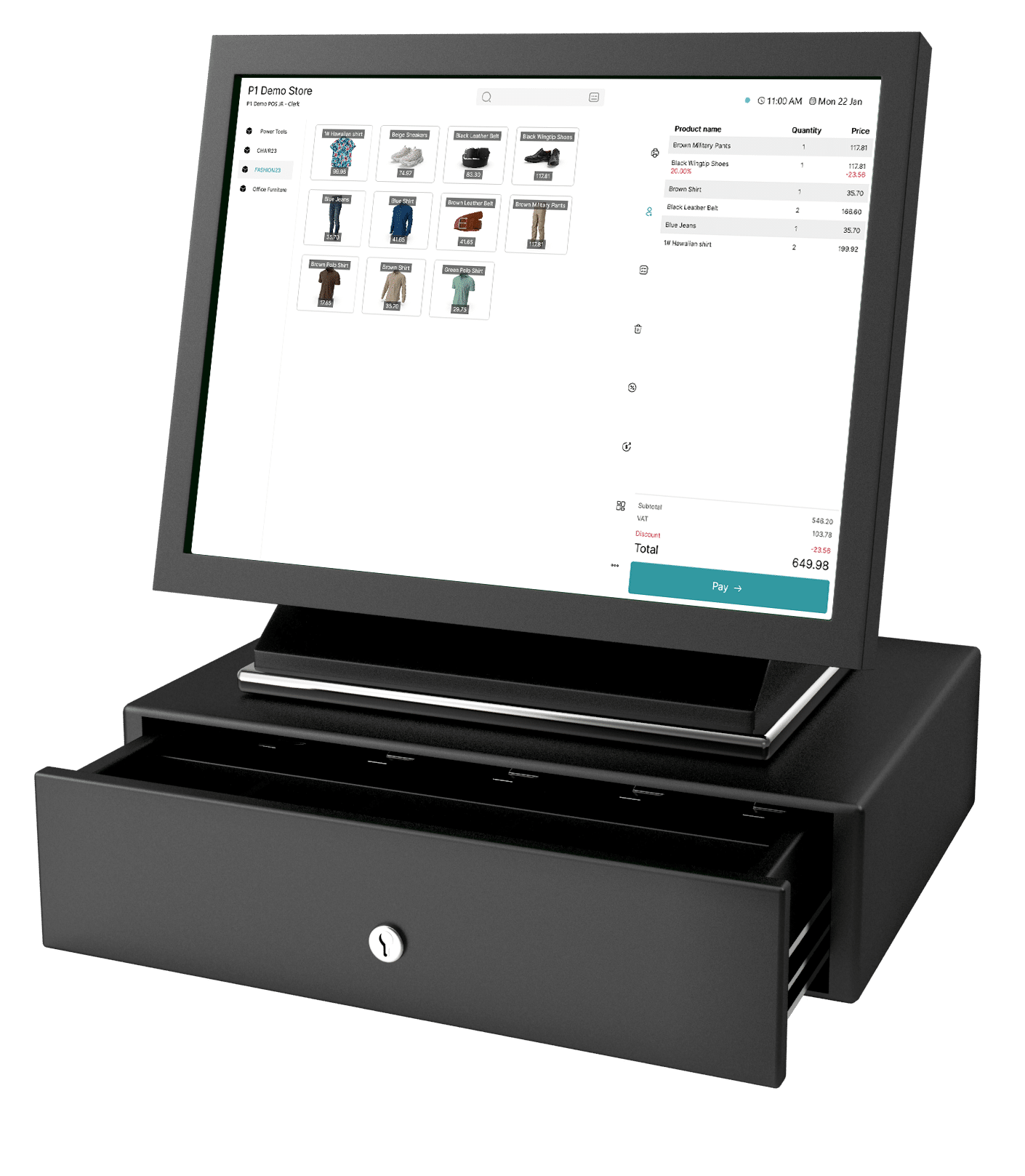
Power your retail business with POS365 for Business Central

Bring your point-of-sale and ERP together in one seamless solution. With POS365 fully integrated into Microsoft Dynamics 365 Business Central, you get real-time updates across sales, inventory, and finance, so you can make faster decisions, reduce manual tasks, and focus on growing your business.

How POS365 syncs your orders with Business Central

See how easy it is to update, adjust, or correct orders in POS365, with every change synced instantly to Microsoft Dynamics 365 Business Central. This demo shows how editors, adjustments, and customer updates stay fully aligned across POS and ERP.

Trusted by Microsoft Dynamics 365 Business Central experts worldwide

Our network of trusted Business Central partners helps retail businesses succeed with a fully connected ERP and POS setup. With deep industry knowledge and hands-on experience, they bring POS365 to life for stores of all sizes.

What POS365 brings to your Business Central retail setup

POS365 enhances your Business Central retail setup by combining powerful POS functionality with the full capabilities of Microsoft Dynamics 365 Business Central. With POS365 and BC working as one unified system, you eliminate disconnected workflows and get real-time accuracy across sales, inventory, customers, and finance — all in a single source of truth.

Business Central as the master system

POS365 uses Microsoft Dynamics 365 Business Central as the single source of truth, inheriting all key data and business logic directly from Business Central. This keeps your entire retail operation consistent, accurate, and fully aligned, from store level to finance.

POS365 syncs key Business Central logic, including:

  • VAT across Europe and sales tax in the US

  • Posting groups and financial mappings

  • Pricing logic and discount structures

  • Dimensions such as departments and cost centers

This ensures a compliant, reliable POS system that works exactly the way your Business Central environment is configured.

Omnichannel enablement

POS365 connects your POS with your Business Central and other third party connections into one unified retail platform, ensuring every sales channel runs on the same real-time data. This keeps pricing, products, customers, and inventory perfectly aligned across your entire retail operation. No duplicates, no delays, just one seamless omnichannel workflow.

Key omnichannel capabilities, synced with Business Central:

  • Real-time inventory updates across all sales channels

  • Automatic product and pricing sync from Business Central

  • Unified customer data for consistent experiences

  • Webshop, POS, Business Central integration in one connected platform

  • Improved stock accuracy throughout your Business Central environment

This creates a smooth, reliable omnichannel setup that keeps your entire retail operation aligned with Business Central.

Sales quotes and order management

POS365 lets you create and manage sales orders directly at the POS, with every quote and order syncing instantly to Business Central for centralized control. All sales quotes and sales orders are visible in POS365, ensuring store staff always have the full picture. Whether quotes and orders come from POS365, your webshop, or other sales channels, everything flows into Business Central, giving you full visibility, faster processing, and a smoother retail workflow.

POS365 syncs key Business Central sales order logic, including:

  • Real-time quote and order sync from POS365, webshop, and all sales channels

  • Business Central price and discount list structures applied consistently across channels

  • Customer data and account balances synced for seamless order handling

  • Create quotes directly in POS365 and handle customer requests without switching systems

  • Enable personalized pricing based on Business Central rules for tailored customer experiences

This ensures accurate, compliant order management that stays fully aligned with your Business Central environment, from first order entry to final fulfillment.

Sales invoice and payment posting

With POS365, your financial workflows become smooth, accurate, and fully automated. Sales are sent to Business Central as clean, ready-to-post invoices, while all payments flow directly into the General Journal you choose. This keeps posting automatic, customer balances accurate, and your entire financial process running effortlessly inside Business Central — giving you a reliable, fully integrated setup for precise accounting and efficient operations.

POS365 syncs key financial posting functions with Business Central, including:

  • Real Business Central invoices created for every POS365 transaction

  • Correct account posting using your Business Central chart of accounts

  • Mapped payment types following your existing Business Central posting setup

  • Instant customer balance updates based on POS365 activity

  • Expense posting (e.g., small in-store purchases) with correct Business Central dimensions

This ensures accurate, compliant financial posting that works exactly the way your Business Central environment is configured.

Successful retail customers with Business Central and POS365

Discover how modern retail businesses use Business Central and POS365 to create a more efficient, data-driven, and connected operation.
Here, you can explore real customer cases where the integration between POS and ERP has reduced manual tasks, improved inventory management, and enhanced the overall customer experience.

Kondektor

Kondektor

Workwear, Sweden

Kondektor connects Shopify, POS365, and Business Central in one system enabling fast ID-based checkout, synced pricing, and full B2B control.

Farveland

Farveland

Paint and curtains, Denmark

Farveland uses POS365 and Business Central to connect stores and mobile consultants, achieving faster service, real-time insights, and scalable growth.

Ready to take your business to the next level?

Book a demo

Click on a date in the calendar to book a personalized walkthrough of our POS solution. 

What can you expect?
  • We take the time to understand your needs and challenges so we can show you exactly how POS365 can help.
  • See POS365 in action! We will walk you through the key features and show you how the system works.
  • Get an in-depth explanation of how our solution integrates with Microsoft Dynamics 365 Business Central.
Scroll to Top