Retail POS for Microsoft Business Central

The most cost-effective POS for demanding multi-store retailers on Business Central

For chains running 2-200 locations. Prices, products and customers in one system, every sale posted directly into Business Central. No integration layer to babysit. From first meeting to go-live in 14 days.

POS365 used in wine store

PRICE CHANGED IN BC
Live on every register · instantly

The problem

Running a POS that wasn't built for Business Central: death by a thousand syncs

You chose Business Central to get one version of the truth. Instead you got a sync to babysit, a partner invoice for every hiccup, and a Monday that starts with checking if the weekend’s sales made it over.

WHAT YOUR WEEK LOOKS LIKE

“We run reports from three systems, and none of them agree.”

“Every time the sync breaks, we pay someone by the hour to fix it. And it breaks every week.”

“Every new product gets created three times. Back office, webshop, POS. And every campaign price, the same three places. Every time.”

“The webshop says in stock, so the customer drives in. Twenty minutes later we still can’t find it, and they leave without buying anything.”

“The internet goes down, the register goes down with it. Sales stop and queues start to build.”

“A contractor orders 40 doors for delivery in three weeks, on account. The register can’t do any of that. So it’s pen, paper, and typing it into the back office after closing.”

“By the time the seasonal staff have learned which of the 200 buttons not to press, the season is over.”

AND WHAT IT COULD LOOK LIKE

Picture the same week with a POS built only for Business Central. The price you change in Business Central is the price at every register, already. The weekend’s sales are posted before you ask. Nothing to check, nothing to fix, nothing to remember twice.

Being in sync is for boy bands, not retail software.

Architecture — built only for BC

Built only for Business Central: so your stores and your BC always agree

Retail on Business Central is the only thing we build. Your prices, stock and customers have one data model and one version of the truth. Change a price in Business Central, and every register follows. Ring up a sale, and it posts the moment it happens. No integration layer that nobody owns. Other POS systems bolt a sync onto the product. With POS365, the connection is the product.

YOUR BUSINESS CENTRAL

POS365

An extension inside BC — same database, no sync

Ease of use

As easy as your phone. As capable as a grown-up POS

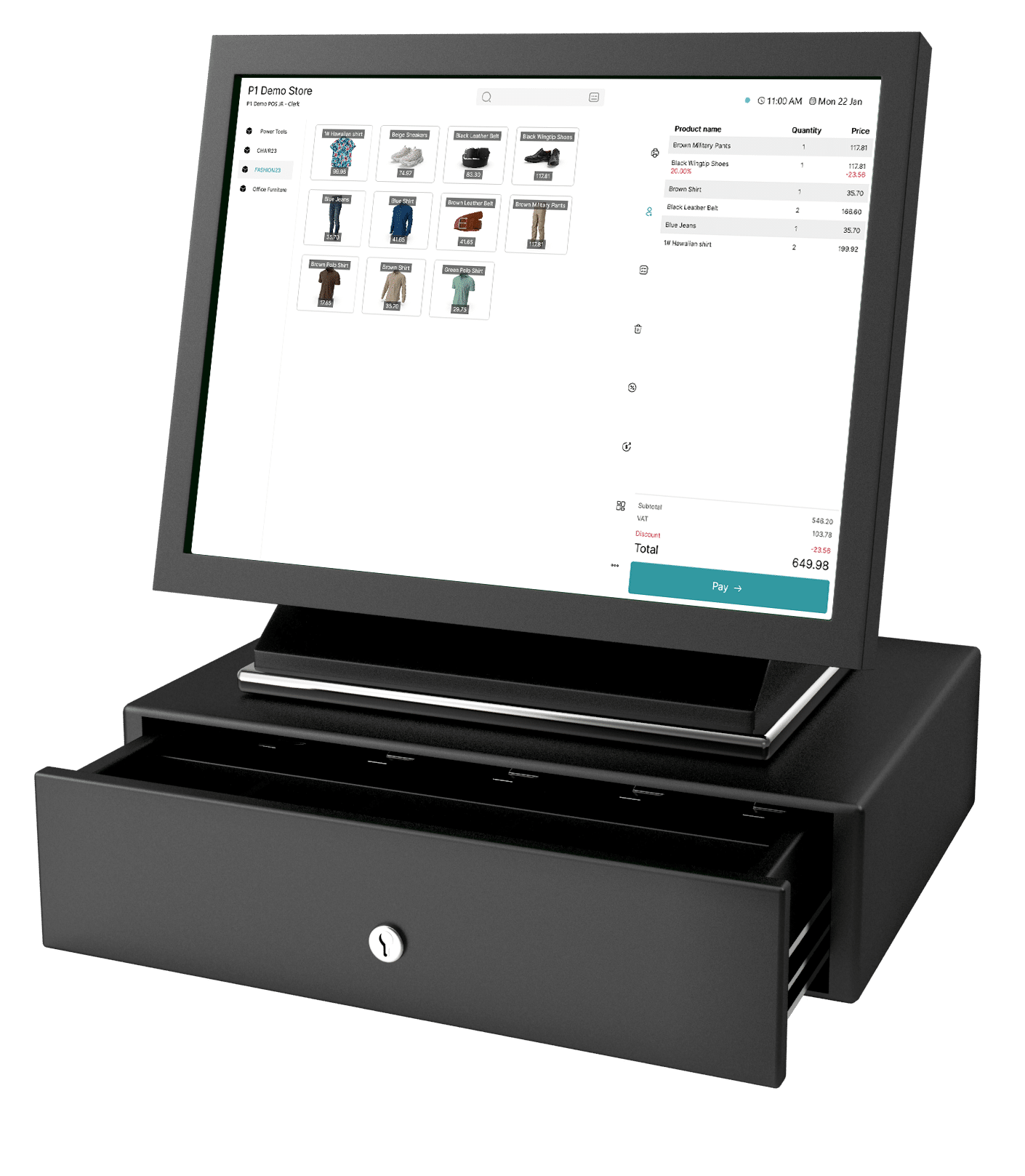
A clean, fast interface with only the buttons your store actually uses, and the functionality demanding retailers look for. You don’t have to choose between easy and capable.
What you expect from any POS

Most POS systems stop here

What you also get with POS365
Fit

Built for demanding retail chains running 2-200 locations.
That's it.

Every feature, every flow and every decision in POS365 starts from the same picture: a multi-store chain on Business Central, with stores to keep aligned, customers at the counter, and staff that come and go. So the heavy lifting the back office used to do? Moved. Creating customers, taking sales orders, prepayments, credit checks and more happens directly at the register. Fast, intuitive, done while the customer is still standing there. We didn’t adapt a product to fit you. We built it for you.

Petstore using POS365
Deployment

First meeting to go-live in 14 days

You know what a big system rollout does to a company, so we removed the project from the POS. It’s possible for one reason: there is only one system to deal with. You test against your own Business Central until you’re confident, then go live. First terminal in an hour, each additional one in 20 minutes. From the first meeting to customers paying at the register: 14 days. No workshops, no phase two, no budget that doubles along the way.

The whole rollout

Day 0

Sandbox runs against your own BC — test everything first

Day 1

First terminal live — one hour, no workshop

Day 2–13

Every additional terminal in 20 minutes, store by store

Day 2–13

The whole chain is live. No phase two.

Support

When your shop stops, you call a human who knows you and your BC. 24/7.

POS-ONE is part of the Business Central world. You keep working with your Business Central partner, and when something needs us, you call us directly. No certified third party in between, no support tier to upgrade, no ticket queue for a store that can’t sell. The emergency line answers around the clock.

POS365 Support
FAQ

Frequently asked questions

Does POS365 need an integration to Business Central?
 

Yes. POS365 integrates directly with Microsoft Dynamics 365 Business Central. The Business Central integration is a core part of POS365 and connects the point-of-sale solution with your Business Central environment.

This allows relevant data such as products, prices, inventory, customers, sales and orders to stay aligned between your stores and Business Central. You do not need to build or maintain a separate third-party integration layer between POS365 and Business Central.

POS365 is built specifically for Business Central, with Business Central acting as the central source of truth for your retail operations.

A typical POS365 implementation can go from the first meeting to go-live in around 14 days.

Because POS365 is built specifically for Microsoft Dynamics 365 Business Central, the implementation does not require a separate third-party integration project between the POS and Business Central. The exact timeline depends on your Business Central setup, number of stores and terminals, payment setup, and any customer-specific requirements.

Once the environment is ready, a POS365 terminal can typically be set up in around one hour, with additional terminals taking approximately 20 minutes each.

Yes. POS365 supports B2B sales directly at the point of sale and works with customer data from Microsoft Dynamics 365 Business Central.

Staff can identify the customer at the counter and work with relevant Business Central information such as customer-specific price lists, discount groups and credit limits. The transaction can then be handled as a sales order or invoice in Business Central.

This makes it possible to serve both retail and B2B customers from the same POS, without moving the transaction to a separate system.

POS365 keeps key retail data aligned with Business Central, including items, prices, inventory, customers and sales. Changes made in Business Central, such as a new price, are reflected at the POS terminals, while sales are posted back to Business Central as they happen. This keeps Business Central as the source of truth across your stores.

POS365 is designed so new staff can get started without a formal training program. The interface can be tailored to the store and the tasks employees actually use, so cashiers do not have to learn their way around hundreds of unnecessary buttons. For retailers with seasonal or frequently changing staff, that means less time spent teaching the POS and more time serving customers.

See what a POS built only for Business Central feels like

Book a demo with someone who only talks retail and BC, or watch the product in action first.

Scroll to Top